blob: 3b0b3690f0af27301e774b8f2d73d3c066dd0c09 (
plain)
1
2
3
4
5
6
7
8
9
10
11
12
13
14
15
16
17
18
19
20
21
|
In emacs, the minibuffer refers to the bar at the bottom of the screen where you can type in commands.
From emacs manual:
> The minibuffer is where Emacs commands read complicated arguments, such as file names, buffer names, Emacs command names, or Lisp expressions.
> - [Minibuffer (GNU Emacs Manual)](https://www.gnu.org/software/emacs/manual/html_node/emacs/Minibuffer.html)
Emacs packages such as [vertico](https://github.com/minad/vertico) provide fancy completion inside the minibuffer.
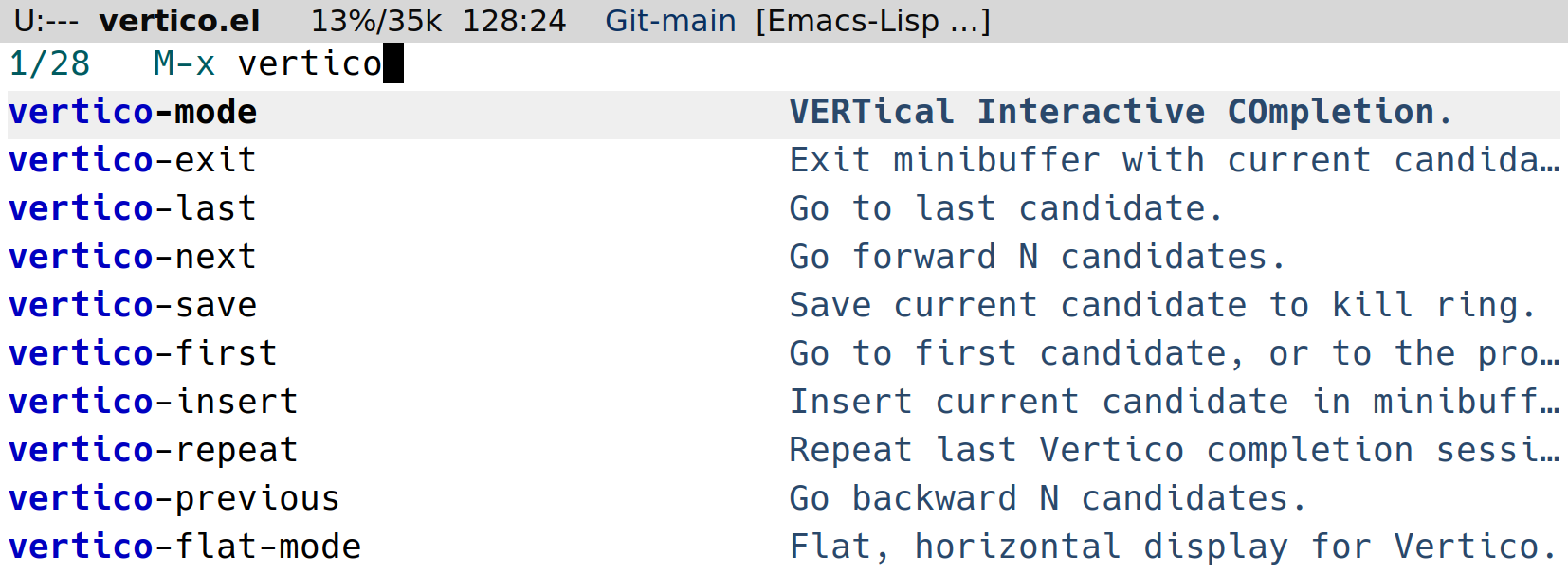
What if we could have that kind of UX in tmux?
`tmux-minibuffer` is a collection of scripts for interacting with tmux using popup windows at the bottom of the screen, simulating minibuffer completion plugins, such as vertico.
## Scripts (so far)
- [`fzf-exec`](./fzf-exec/README.md): replaces the default command prompt with a vertico-style completion menu.
- [`broot-sessionizer`](./broot-sessionizer/README.md): replacement for [`tmux-sessionizer`](https://github.com/theprimeagen/tmux-sessionizer) that uses the broot instead of fzf, and runs in the minibuffer.
- [`find-file`](./find-file/README.md): Menu to open a file from the current session using broot.
Future ideas:
- fzf-sessionizer
- search scrollback (kinda like [fuzzback](https://github.com/roosta/tmux-fuzzback) or [swiper](https://github.com/abo-abo/swiper?tab=readme-ov-file#swiper))
- define custom commands in fzf-exec
|
